Why Most AI Rollouts Fail (And the Three Layers That Fix It)
Someone builds a useful custom GPT or a Zapier flow and it works - for one person. Adoption flatlines because nothing compounds across the company, and every prompt restarts from zero. Two failure modes, and the three layers - knowledge, agents, applications - that turn scattered tools into a system.
Key takeaways
- Rollouts fail two ways: useful work stays trapped on one laptop, and company context sits locked in separate platforms, so every prompt starts from a blank page.
- Three layers fix it - a version-controlled knowledge layer as the single source of truth, an agents layer reachable from Claude Code or chat, and applications on top when a dashboard beats a conversation.
- What it produces: a Sunday-night agent that reads the pipeline, ranks the week's actions, and records a one-minute voice brief for the drive in. The sales leader never touches it.
Full transcript3,379 words
We built an AI agent for a customer who is a sales leader for a fast-growing tech company. The agent reads his entire pipeline, writes his Monday brief, ranks his week's actions, and even records a 1-minute voice briefing that he can listen to in the car on his way to work. It happens every Sunday evening. He never touches it.
All AI, all automated. In a similar light, your business has many hiding in it that can be automated using AI. Hours of reports, summaries, follow-ups that nobody wants to do. An AI operating system turns them into agents that run automatically.
Three things that I'm going to show you in this video today. One, a quick demo that shows you how we go from disparate data to a system to automation, to a visual dashboard that looks amazing and even has a voice interface. Two, the three-layer operating system that turns the tools you're already using into a working AI operating system. And three, a detailed walk-through of the demo I built.
This whole thing will help you and your company save time and money exponentially by orders of magnitude. If you run a small or medium-sized business and you're interested in helping your business get to the next level using AI and automation, you need to watch this. Okay, first part. I'm going to show you a quick demo.
So, we have two disparate data sources. Again, this is a demo an actual agent that we built for a customer, which is live. The benefit of this is that it helps our customer collate disparate data into one single source of truth, which is a visual dashboard, which has a voice interface. So, we've got disparate data sources.
In this case, we have CRM data, which is in Google Sheets. This is customer pipeline CRM data. The meeting notes, which come from video meetings, such as Google Meet or Zoom. In this situation, it's Google Meet.
Okay? So, CRM data and meeting notes data. Then, we have an n8n workflow. This is the back end.
This is where most of the automation happens with AI. dev to automatically trigger the automations. And then, all of this results in a dashboard that the sales leader can look at, make decisions on, and even listen to. So, let's go ahead and run the automation.
So, in this case This runs automatically, but in this situation, I'm going to use trigger. dev to do a manual trigger. This triggers n8n, which triggers the workflow. And voila, the workflow ran successfully.
We can see that here. And then, that actually results in a dashboard, which looks like this. This is called Sunday night pipeline. So, we can read the summary here.
Th- Again, this is coming from disparate data sources. North Star moved from 50% to 70% after a strong Cantonese accuracy demo. An SOW is due Friday and is the critical unlock for an 800K close. The sales leader, our customer, has a quick snapshot view of his pipeline that he needs to report on Monday morning.
Next, we have deal movement. So, the North Star deal went from 50% to 70%, a 20% increase, which is good. Note Cantonese accuracy demo landed well. Prospect wants a 30-day pilot, okay?
And then finally, we have tomorrow's action. Edwin, the salesperson, needs to draft and send Northstar an SOW. Friday deadline is this week, and pilot cannot start without it. Again, this is coming from a CRM and meeting notes.
It's collated, it's organized, it's automated, and presented using AI. I mean, we also have a voice interface that our customer can listen to on the car. Maybe you wake up in the morning instead of listening to your podcast, you can listen to your pipeline. Let's have a listen.
Northstar is the headline win of the week. The Cantonese accuracy demo landed, and they want a 30-day pilot with a SOW W due Friday that must not slip. Forge Manufacturing is locked in and signing Friday, so that 250k is clean. How cool is that?
All right, next, let's show you how this works and why an AI operating system is essential for your business in 2026. What's going on here? What is this all about? Well, essentially, it's about AI as infrastructure.
AI is going to be the layer that your business runs on. Companies that win will be the ones that are running AI as an operating system. So, most teams buy and use Claude, ChatGPT, Google Gemini, some custom thing. But, this creates a huge gap between tools and systems.
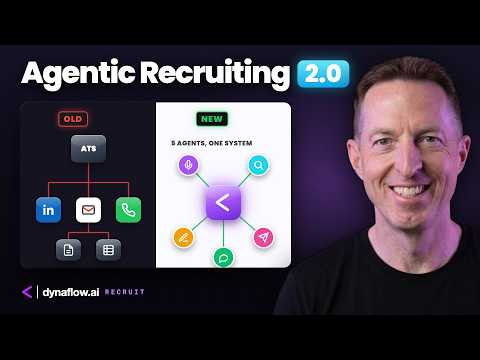
So, we help close the gap, which helps saves time and money. And essentially, this is 1 2 3 4 5. This is five things: interface, agents, knowledge, context, and data and tools. This is the operating system.
Why do most AI rollouts fail? Well, I think it comes down to two main reasons. One, technical silos and not systems. So, someone on the team builds something useful, a custom GPT for example, or a workflow in make or Zapier, or a script that pulls data from one system and pushes it to another.
So, this stuff is all really cool, but it's siloed. It only works for that person or that team. And then you have crickets. Adoption flatlines.
The adoption stays trapped in one laptop or on one team, and nothing compounds across the organization. The second problem is context locked across platforms. Your company's knowledge is gated. Some of it lives in Microsoft, some of it lives in Google.
None of it is shared across the organization. There is no shared context layer across any of them. Every prompt restarts from zero. AI is everywhere across your org, but it's not an actual shared capability.
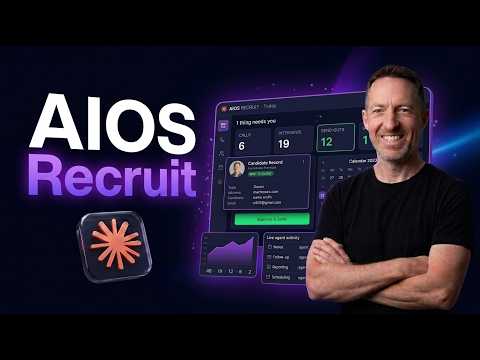
It's our philosophy that knowledge should be shared and compounded across the business. Introducing AIOS, the AI operating system. It's the operating layer that ties your tools, your data, and your workflows into one system used by technical people and non-technical team Excuse me. Used by technical people and non-technical team people as a team.
So, let me walk you quickly through the three pillars of we can deliver. One, consulting workflow knowledge and graph design. We map your business before we write a single line of code. What is the actual process when a customer raises a ticket?
Where does a spreadsheet live that everyone copies from? We map all of it. Two, development. We build custom agents like the one you saw on the demo.
And most importantly, we deploy the tools that your team is already using, so you're not reinventing the wheel when you're deploying this operating system. And three, support, probably the most important one. Ongoing optimization as your business grows and the AI ecosystem evolves. So, this is an operating layer that helps your business compound exponentially.
Three layers of the AIOS: knowledge, agents, applications. Layer one, the knowledge layer. Your company is a living document. These data, workflows, context, with AIOS, it's all living in one place.
Everyone has access to it all the time. We version this in GitHub in a secure cloud trusted as a single source of truth. And with this foundation, every prompt that your team writes, every agent that your business runs, starts from your company, not from a blank page. Layer two, the agents layer.
So, there's three ways your team can use knowledge, as you can see here. For non-technical people, it's Claude Cowork, specialized agents for day-to-day work. Onboarding, sales, support. And so, for example, the marketing team can open this stuff the same way that you open Slack or Telegram.
The interface is the same, but it's shared across the entire organization. For technical teams, it's Claude code, usually in an IDE like Cursor. They build, integrate, and extend. So, it's native access, but to the same knowledge layer.
And new automations on top of AIOS without rebuilding the foundation every time. And for the system, it's API and automations. Scheduled work, machine-to-machine flows, background jobs that run in the background, evenings and weekends, powered by the same context. Three interfaces, one source of truth, powered by the Claude subscription that you already have.
And this is vendor neutral, so it works alongside Microsoft, Google, whatever. It's also a system architecture. If things change in 3 or 6 months, you already have the foundation and the architecture that we help build for your organization. Layer three, applications.
This is where the magic happens. There are three categories of systems that live above the knowledge and the interface. One, company knowledge graphs. Structure Map your data and your processes into structure.
So, this is essentially like an AI audit. It starts knowing your business. For example, vendors, products, accounts. Two, custom co-work agents.
Purpose-built for specific workflows. Onboarding agents, sales agents, support agents, marketing agents, whatever. And finally, three, custom front-end applications. Full applications on top of AI OS for workflows that need more than an agent.
By applying analytics and visual dashboards like the one I showed you at the beginning, and we're going to go into a deep dive after this. Three layers, one operating system, completely owned by you. Cool. So, let's jump into a deep dive of the demo I built so I can kind of show you from a granular perspective how this works.
Going to jump into a deep dive of the build, but before we do, if this has been interesting for you or you are interested in this, if you're interested in finding out a little bit more about how an AI operating system can exponentially benefit your business. Uh first of all, if you could subscribe and like subscribe to my channel and like the video, that would be very much appreciated. The algorithms would be grateful. But if you're interested in applying for this and applying to have an AI operating system integrated into your business, simply go to my website.
Well, click on the link below on the video and that'll take you directly to my Calendly. data. ai. This is the new website, so the AI operating system for growing companies.
We install it, you run it. It's an operating system for your business, as we discussed, agentic workspaces, MCP connectors, orchestration layers, production agents. ai, click apply, and that will take you directly to my Calendly. Once you're on my Calendly, simply pick a time, click next, put in your name, your email, and a reason you want to connect, um and then you'll get an automatic calendar invite, and we can get connected.
We can install an AI operating system very quickly, probably within 3 months and or less, depending on your timelines. So, there there there's four phases. I'll go through this quickly and then we're going to jump into the demo. Phase one is discovery, phase two is foundation, phase three is activation, and phase four is handover.
ai, and if you're interested in knowing a little bit about me, my name is Mike. I have 20 years of business experience working and selling to some of the largest SaaS and AI enterprise companies in the world. Excellent. Let's go to the demo now.
So, as we showed you at the beginning, we have two disparate data sources. We have CRM data and we have meeting notes data that comes from Google Meet. And so, just to kind of review the the problem for our customer, who is a sales leader, he is the VP APAC for a large tech organization. He's busy.
And so, he's getting this disparate data coming in. It's all collated as disparate data. Sunday night he go needs to go through this stuff and then Monday morning he needs to provide a brief to both his management team and also, you know, talk to his team about, you know, moving some of the store some of the stuff forward, but he needs to essentially know what's going on in this business. And right now it's kind of difficult because he's got CRM data, he's got meetings data.
I've simplified this, there's data coming from other sources as well, but it's not in a single source of truth. The next thing we have is n8n, which is the backend workflow automation tool. For those of you who are who are not familiar with n8n, it's a visual backend automation tool that allows for automation and the integration of AI into those automations as well as other things like you can write code, you can connect to external services through something called HTTP. And so we're going to I'm going to go through this this integration, sorry, this n8n workflow with you node by node.
We've already run the execution. It's this one here, copy to editor, unpin. So we're going to the webhook. dev, which is an automated triggering system that you can set up to run tasks.
You don't necessarily need n8n to do automations. dev into your Claude code, which is which is what you're looking at here. dev into Claude code and you could actually completely bypass, excuse me, bypass n8n, but I like n8n for its visual capabilities and also it's very powerful and scalable. It's cloud, it's secure.
dev and that outputs the the data from the disparate data sources. Next, we go into a Google Sheets, the Read CRM sheet node, which you can see the data is coming in from the webhook on the left-hand side here. In terms of the parameters, we you've got to set up the Google Sheets and authenticate it. So, you're connect you're essentially connecting to Google Sheets from this from this node, and then you also have to select the So, you you authenticate, and then you select an actual Google Sheet that you want to connect from.
In this case, it's this one here. Okay? So, we're taking data, and then we're outputting it here, as you can see. Okay?
So, that's you can output in various formats, a table, JSON. So, you can see all the JSON data that's being outputted here, or schema. Those are the three different formats. So, that's the second node, and then this node here is also a Google Sheets node, which is connecting This is exactly the same thing.
It's connecting into the Google Meet dating. So, you can Google Meet data. So, you can see the meeting notes here. North Star love the Cantonese accuracy demo.
And then so, that's connecting here in the exact same way, and then outputting this data. So, essentially, what these two nodes are doing is they're taking data from your Google Sheets and outputting it. And then that will go into The next node is a code node, and this code node, you can see here, is basically managing the data. And so, you're building the Claude code prompt input from the merged data.
Okay? So, basically, we're we're merging it, and then we are sending it calm V1 messages. Let's take a look at what that website actually you are actually looks like. So, it looks like this.
And so, you're actually connecting into the Claude API. You do I believe you need a Claude code subscription, and then you you've also got to put in your your API keys. I'll of course need to blank this out, so you don't see that. Um, and then next that will go into another code node.
So, this is And by the way, I should take a step back and say this entire thing was built using Claude code in cursor. It's not actually what you're looking at here. This is my YouTube brain, but just kind of I wanted to show you some uh some cool code as you're looking at Claude code, but but we did build uh this entire n8n workflow in Claude code. You need to go into Claude code and make some custom changes like putting in your API key and this kind of thing, but Claude code is the brain that's built all this.
And also Claude code will be the brain that runs your AI OS. So, this is JavaScript where What are we doing here? I should say at the top. Parse Claude's JSON response into Supabase.
So, we're parsing data into JSON, we're outputting it. So, that will go into Supabase, which is the database. And so, this is a Supabase node where we're posting to Supabase. And then also we are uh I'll show you Supabase here.
So, we've set up uh Supabase here, which is the cloud database, which we use to store the data that And then the automation and the AI will take this data and build the dashboard. So, it's building the dashboard around the merged data that goes into Supabase. So, that's that's So, you're going into parsing the Claude code and then you're writing to Supabase. And next, this is my favorite one cuz we do voice here.
Uh this is an ElevenLabs text-to- speech node. And again, you need to do a post request to a URL, which is the ElevenLabs Put in your API keys, and then that will create It will create an audio file for your your dashboard. And we we integrate that into the the analytics dashboard, but we're using ElevenLabs to do that. Then we go into a code node again, and this is building a deterministic file name for the audio.
So, So, we're naming the file it's a term, deterministic file. Then next, we are uploading the audio file to Supabase cuz we need to have that audio back into uh Supabase. Where is it here? So, these are the logs and this is the summary.
And the audio file will be in here somewhere. And then, finally, update summary with audio file URL. So, this is another HTTP node where we are uploading the uh summary the dashboard summary. And then that's a respond to uh a respond web hook that will automate this entire automation.
And then that gets sent essentially to Vercel, which we're using for the cloud version of the instance for the dashboard. And so, this is the overview of the Vercel deployment. But then again, what it looks like at the end is, where are we here? This, Saturday night pipeline.
So, you go from basically you go from Google Sheets to n8n to a dashboard with an audio file. Let's play the audio file from beginning to end cuz it sounds cool. The bigger watch item is Helix. The COO pushed back on per call cost and the contract ends in 2 months.
Making this a retention risk that warrants a CRO level call this week. Meridian is a live displacement opportunity against Fano Labs with a budget cycle coming, so speed matters. Particle added two new blockers, a CFO budget question, and a compliance data residency concern that need answers before Wednesday's demo. All right, cool.
So, that's the the build in a nutshell. Hope you enjoyed that. Again, if you like my content, please subscribe to my channel, like the video, please comment on the video. If you want to connect with me, uh just go to my website um or click on the link in the description below.
Click apply, that will take you to my Calendly and we can get connected. Thank you for listening, thank you for participating and I will see you in the next one.
Auto-generated from the video's captions and lightly edited for readability. Commercial terms are covered on a call, not here.