Inside the AIOS Workspace: CRM, Outreach, Clients, and Billing Without SaaS
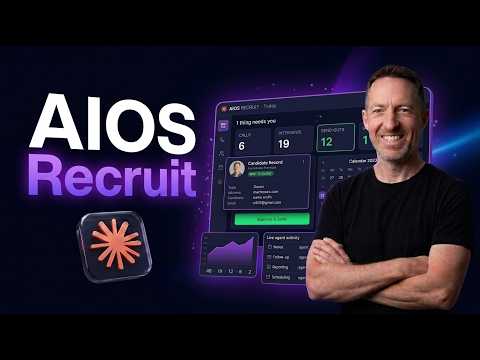
Part 2 goes inside the Workspace - the layer opened every morning. Six sections replace a CRM, a campaign manager, a project tool, and a time tracker: People, Campaigns, Clients, Tickets, Time, Content. Agents do the research, drafting, and booking overnight; a human makes every final call.
Key takeaways
- People: 2,100 contacts pooled by vertical - almost 400 engaged, 150+ in outreach, 10 in pipeline, one deal won - enriched with Apollo and Lusha so the team can actually call them.
- Campaigns: a 3-touch cold outreach engine as a funnel - 158 targeted, 63 sent, 7 booked, 6 approvals - every send paced and logged, none of it done by a human.
- Clients and Tickets: one page per client shows overdue tickets, an unpaid invoice, and 15 days of silence, then suggests the next action; client requests become Kanban tickets the engineering agent ships as PRs.
Full transcript2,100 words
We are living in the age of AI enlightenment. Think a holographic, multi-dimensional Leonardo da Vinci. For the first time in man's entire history, a new way has been developed to build and scale your business. Virtually anything you can imagine is possible.
21st century future tools, available at your fingertips, and they cost less than your monthly phone bill. And yet most customers we talk to are harnessing a fraction of this power. So let me show you what 21st century AI could look like in your business. For those of you who don't know me, my name is Mike.
I spent 20 years selling recruiting and professional services to big tech and SaaS enterprise. I worked with big companies like Apple, ServiceNow, Datadog, and Zendesk. And now I run Dynaflow, an AI company that helps small and medium-sized businesses scale and grow without hiring more people. This is part two of the series.
We're going to go deeper into the middle part of our AIOS: the workspace. We are in the process of automating our entire business. Outreach, marketing, content, project delivery, sales. We're building an agentic layer of AI agents and automations that sit on top of the tools and the systems we already use.
So here's what my Monday looks like. I wake up and there are leads in my CRM. Actual leads. Agents working overnight, doing the research and finding leads.
Email agents drafting custom emails based on research and sending them to my Slack for review. Meeting agents booking meetings automatically. Literally waking up Monday morning to meetings on my calendar. Content agents posting content to LinkedIn based on actual customer problems.
And the coolest of all: a Kanban-style ticket board for our growing development team. And they all have a full 360 view of what's in the pipe, so they know exactly what to do that day. We didn't do any of this. This was all done by AI agents, tools, skills, automations, and the knowledge graph.
If you're interested in more details on how knowledge graphs work, check my previous video. So this is the difference between running a single AI tool and running an entire AI operating system over your business. Today I'm going to show you how it all works. We're going to look at the following sections: people, campaigns, clients, tickets, time, and content.
By the end of this video you'll understand three things. One, how a small business runs its CRM, outreach, clients, engineering, billing, and content. Two, how an agent does research, drafting follow-ups, tickets, and invoices, with humans in the loop making the final decision. This is true AI-guided analysis.
And three, how to read your business by vertical, so you know instantly which markets to target. Before we jump into the demo, if you want this in your business, there's a link below. Schedule a 15-minute meeting with me. We'll figure out the bottlenecks and problems in your business, and I can even draft a basic roadmap to success for you.
Alright, let's jump in. Okay, we are in the AIOS workspace section. This is the first tab, which is People. This is the CRM at a glance, and it shows who's been engaged, who's in cold outreach, and who's tied to a live deal.
Every card opens the record in Attio, which is my CRM layer, where all of the customer data is stored. But we have built a type of dashboard and orchestration platform within AIOS that's called People. Very simple. So you can see in my CRM I've got 2,100 contacts.
We've engaged with almost 400, over 150 in outreach, 10 in the pipeline, and one deal won. And you can see here it's pooled by vertical. So this is a type of CRM dashboard and analytics. We've got people in the recruiting industry that we're targeting: 18 engaged, 63 in outreach, 410 untouched, and so on.
This is the accounting vertical: 97 untouched and 38 callable. The cool part about how we built this is we used a couple of lead-gen tools to bring the customer data into the CRM, which is Attio, and then show it via the AIOS People section. We used Apollo for the actual leads, customer emails and phone numbers, and then another platform called Lusha to enrich those contacts specifically with mobile phone numbers, so our sales team can call these people. Then we've got boutique professional services.
These are the verticals that we're targeting: local services, CRE and property management, and then HR and hospitality, a small amount down here. So that's the People section. Let's move on. Next is Campaigns.
This is attached to the agents that we saw in the last video, and each agent has its own specific function. There's an outreach agent, there's an email drafting agent, there's an actual sending agent. There are various agents; if you want more details on that, check my previous video. But this is the actual campaign section.
It's a three-touch cold outreach engine, and it watches prospects move from list to first touch to a booked conversation. Every send is paced and logged to the CRM. So it's all here: 158 people targeted, 63 sent, one replied, seven booked, six approvals. And then you can see the three verticals down here.
We've got 158 at 100%, 63 at 40%, and so on down the funnel. So it's literally a funnel. Then we can see all the sends that were done in the last 30 days. And again, I didn't do any of this.
My team and I didn't do this. The agents did this. This is all automated using tools, automations, and agents. And then we've got verticals down here as they relate to the campaign: recruiting, boutique accounting, e-commerce, and so on.
So this is a dashboard that allows me and my team to see what's going on with the automated outreach in a funnel format. Next is Clients. This is a client dashboard. I asked Claude Code and Cursor to create a type of beta client dashboard, so these are not actual clients, for confidentiality reasons.
We see here one project page per client: delivery, hours, invoices. Attio remains the CRM for relationships. We've got six active clients, billed this month, targeted coverage 25%, and open tickets 19. We'll get into the tickets in a minute.
So let's quickly look at one client, Northwind Recruiting, so you understand the benefit to you. We have two tickets that are overdue with this client, we have an unpaid invoice, so they owe us money, and it's been quiet for 15 days. So as a business owner you can get a snapshot view of your clients in a dashboard analytics view. And then the agent will even write: POC nearing a paid hourly engagement, 80%, contact Jordan Reese.
So I can wake up Monday morning and go, okay, I need to contact Jordan to get that invoice paid. We've got these eight tickets open, so I need to contact the dev team to see what's going on with that, and maybe I need to contact their AI project manager to see what the next steps are. And then we've got prospects down here. Atlas Bank: a Sentinel SOC, an AI security operations layer.
So we're in discussions with a bank about an agent layer above their existing system. So this is what the client dashboard looks like. Next is Tickets. This is the Kanban-style board that I alluded to in the introduction.
Tickets: engineering Kanban. Client requests come in as tickets, get picked up by the engineering agent, and are shipped as PRs. The board is the agent's working memory across runs. So this is where my dev team and I can go and figure out what's going on with our clients, project management, this type of thing.
I think the benefit of building an AIOS for your business is we do not need to pay for a CRM. We don't need to pay for a campaign manager. com-style project management tool. We're a small business.
We can just build this ourselves as a type of orchestration dashboard that is powered by AI, by LLMs, and then connected to tools, skills, automations, knowledge graphs, this kind of thing. So again, this is Tickets. We can see visually what our ticket board looks like, and these are the actual tickets. Let's look at the top left: migrate JD generator to the client domain repo, process off authentication handoff.
So we're working with a recruiting company. They want a JD agent that will generate template JDs across all of their systems that look good and look the same and uniform. For example, they want to develop a JD for LinkedIn and Indeed and their corporate website, and also to send to candidates. So we're building a system, and I guess we could call it an AIOS JD for them, that helps them and their team save time and money by automatically generating JDs through their system data.
Next we have Time. This is really important for me and my business partner, because we want to keep track of time for invoicing, for billing, for explanations, this kind of thing. Billable hours per client, logged against tickets or directly, rolled up at the client's rate toward the monthly invoice. Time equals hours equals billing equals invoices.
Time equals money, right? So we've got five hours this month. Again, this data is beta data. We have way more than five hours total billable; it's probably about 10x this.
But anyway, this is what it would look like. And then we've got hours per week that have been managed, again in a kind of visual analytics. So this is connected to our tickets, and AI agents are taking this information and creating a time dashboard that we can use to figure out invoicing. And then finally is the Content tab.
This drafts from meetings and actual customer bottlenecks that we're dealing with, and then agents schedule this stuff to LinkedIn and YouTube. I'm mainly on YouTube, as you can see now. But nothing posts without human approval. This whole system is built on human-guided decisions, or AI-guided human decisions.
So the AI writes the content, the AI creates the invoice, the AI drafts the email, the AI summarizes the notes, but you as the business owner make the final decision as to whether to action that data. This is funny, because we've got 107 drafts and not a lot of content has been posted via this content board, but that's okay. Looking at this LinkedIn post: the self-healing company knowledge base. At 4:00 AM with nobody watching, our knowledge base caught its own mistake and fixed it.
So this is content around my actual business that is being created by content agents and automated. Excellent. That is a quick snapshot view of the AIOS workspace section. We are continuing to build this out for our own business.
Full transparency: the reason I'm building the AIOS workspace is primarily for our own business, so we don't have to hire more people and we can grow and scale using AI and automation. And the other part is because I want to show you, the business owner, and basically say: if this is something that is interesting to you, if you could envision having something like this in your business - obviously it will be custom to your business, whatever it is that you do - we can help you. We can help you with consulting, we can help you with strategy; those are probably the two most important things. And we can help you build it as well, or we can build it for you.
Our mission is to empower you as a company to become less dependent on SaaS and tools that you have to pay for, and empower you to build this stuff yourself within an operating system and scale your business. Whatever it is you want to do - maybe you want to spend more time with your family, maybe you want to spend more time traveling, maybe you want to be a digital nomad, maybe you just want to retire and have the agents do everything - whatever it is, we can help you with those dreams and those goals. Click the link in the description, let's get connected, and I will see you in the next one. Bye for now.
Auto-generated from the video's captions and lightly edited for readability. Commercial terms are covered on a call, not here.